Solution
It is possible that in the process of installation or update of NI-RFSG, the
NI-RFSG Soft Front Panel was not selected for installation.
To install the NI-RFSG Soft Front Panel (Classic) you can follow these steps:
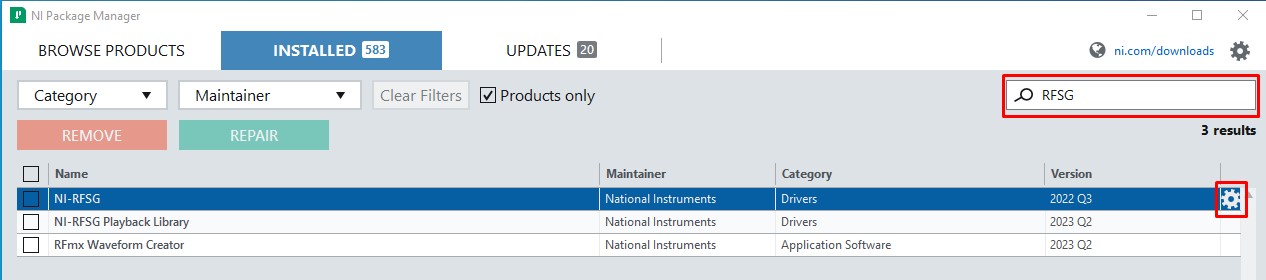
- Open the NI Package Manager.
- On the Installed tab, search for "RFSG".
- Click on the gear icon on the right side of NI-RFSG.
- Select NI-RFSG Soft Front Panel and click Next to continue with the installation.

- Follow the NI Package Manager prompts and finish installation process.
The NI-RFSG Soft Front Panel (Classic) should now be installed on your computer.