Solution
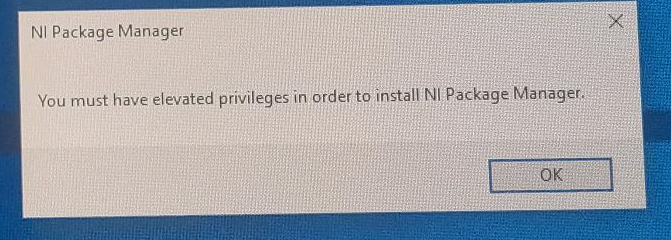
This error occurs when the currently logged in Windows user does not have the necessary privileges to run the installer. To resolve this issue, use one of the following methods:
- Install the software while logged in as an administrator.
- Bypass Microsoft's User Account Control (UAC) for this single installer:
- Right-click the installer file and select Run as administrator.
- When a UAC prompt appears, approve it.
- Temporarily disable Microsoft's UAC (not recommended, since it may leave your system vulnerable):
- On your keyboard, press Win + R, type msconfig, and press Enter.
- In the System Configuration pop-up window, select the Tools tab, click Change UAC Settings and then click Launch.
- In the User Account Control Settings window, slide the bar all the way down to Never notify. Then click OK.
- Install the application.
- Revert the UAC settings afterwards.
- If using an MSI installer, use Command Prompt to run the file as a specific admin user (Note: you must provide the admin account's password to use this option):
- From the Windows Start Menu, launch Command Prompt.
- Enter runas /user:<username> "msiexec /i <path>" where <username> is replaced with the account username, and <path> is replaced with the full path (including file name) to the MSI installer.
- When prompted to provide the account's password, type it directly in Command Prompt and then hit Enter.
- The MSI will be launched as that user account.