Error -200077 When Using Sample Clock Timing for Digital Output Tasks in NI MAX

Updated Feb 18, 2026

Reported In

Hardware

  • USB-6501

Software

  • Measurement & Automation Explorer (MAX)

Driver

  • NI-DAQmx

Issue Details

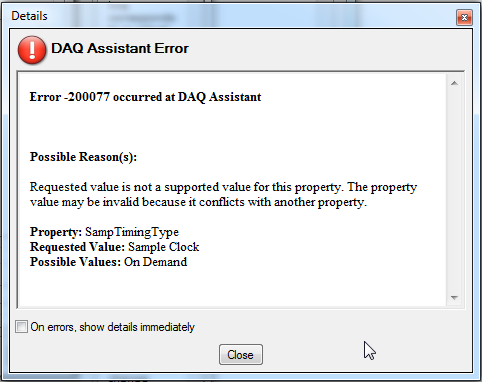
When running a digital output task in NI MAX that is configured with a Generation Mode other than 1 Sample (On Demand), I receive the following error:

Error -200077 occurred at DAQ Assistant

Possible Reason(s):

Requested value is not a supported value for this property. The property value may be invalid because it conflicts with another property.

Property: SampTimingType
Requested Value: Sample Clock
Possible Values: On Demand


Solution

This error occurs when the task is configured with a Generation Mode that requires sample clock timing, but the digital device does not support hardware‑timed digital I/O. Although NI MAX allows selection of these modes for configuration, the device is unable to use them during execution. As a result, the task fails when it is run.


To resolve the error:


  • Configure the task to use 1 Sample (On Demand) as the Generation Mode.
  • This software‑timed mode does not require a sample clock and is the only supported option on devices without a hardware‑timed digital I/O engine.

Additional Information

This behavior is common across several NI digital I/O families that lack hardware timing capabilities. Hardware‑timed digital I/O is only supported on devices that include a dedicated sample clock or timing engine for digital tasks.