Modular Data Acquisition
Distributed Measurement and Control
High-Performance Test
Automated Test System Development Software
Perspectives showcases how NI sees what’s next in the world of test and technology.
You can request repair, RMA, schedule calibration, or get technical support. A valid service agreement may be required.
Provides support for NI data acquisition and signal conditioning devices.
Provides support for Ethernet, GPIB, serial, USB, and other types of instruments.
Provides support for NI GPIB controllers and NI embedded controllers with GPIB ports.
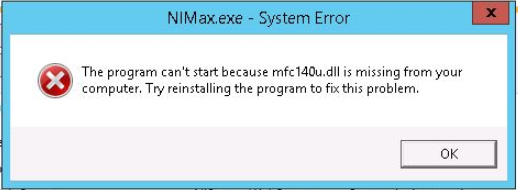
또한, 64 비트 Windows 시스템에서 NI MAX를 실행하는 경우 x64 및 x86 DLL 파일을 모두 설치해야합니다.
토론 포럼에서 다른 사용자와 공동 작업
유효한 서비스 계약 또는 활성 소프트웨어 구독이 필요할 수 있으며, 지원 옵션은 국가마다 다를 수 있습니다.
예
아니요