Modular Data Acquisition
Distributed Measurement and Control
High-Performance Test
Automated Test System Development Software
Perspectives showcases how NI sees what’s next in the world of test and technology.
You can request repair, RMA, schedule calibration, or get technical support. A valid service agreement may be required.
Provides support for NI data acquisition and signal conditioning devices.
Provides support for Ethernet, GPIB, serial, USB, and other types of instruments.
Provides support for NI GPIB controllers and NI embedded controllers with GPIB ports.
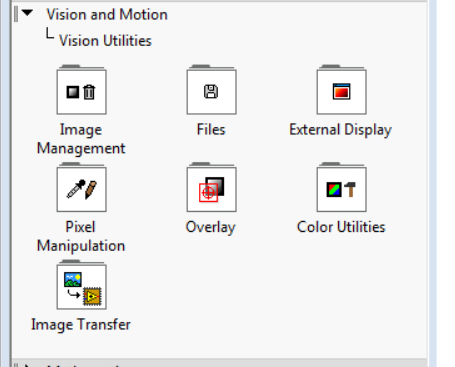
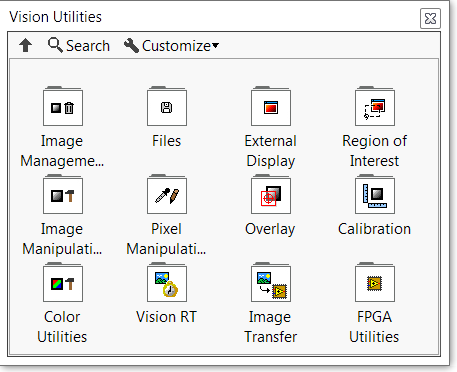
I'm looking under my Vision and Motion Palette>> Vision Utilities and seem to be missing the following Palettes:
Figure 1: Current Pallets
Figure 2: Required Pallets
The missing palettes are components of the Vision Development Module (VDM). This issue can be fixed by Installing the newest compatible version of Vision Development Module.
Missing NI-IMAQ or NI-IMAQdx Functions Palette in LabVIEW
Collaborate with other users in our discussion forums
A valid service agreement or active software subscription may be required, and support options vary by country.
Yes
No