Property nodes can be used to add text attached to graphs in LabVIEW. To do this, right-click on your graph and select Create > Property Node > Caption > Text. Right-click the new property node and select Change All To Read. You can then wire a string into the new input.
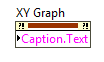
The new caption's default location overlap the label, but it can be dragged to any location in the Front Panel. Alternatively, you can right-click the graph, select Visible Items, then uncheck the Label option to view the caption on its own.