This content is not available in your preferred language.

The content is shown in another available language. Your browser may include features that can help translate the text.

Archived:Restarting My cRIO Controller in NI MAX if the Username and Password Is Forgotten

Updated Sep 7, 2026

NI does not actively maintain this document.

This content provides support for older products and technology, so you may notice outdated links or obsolete information about operating systems or other relevant products.

Reported In

Hardware

  • CompactRIO Controller
  • CompactRIO Chassis

Issue Details

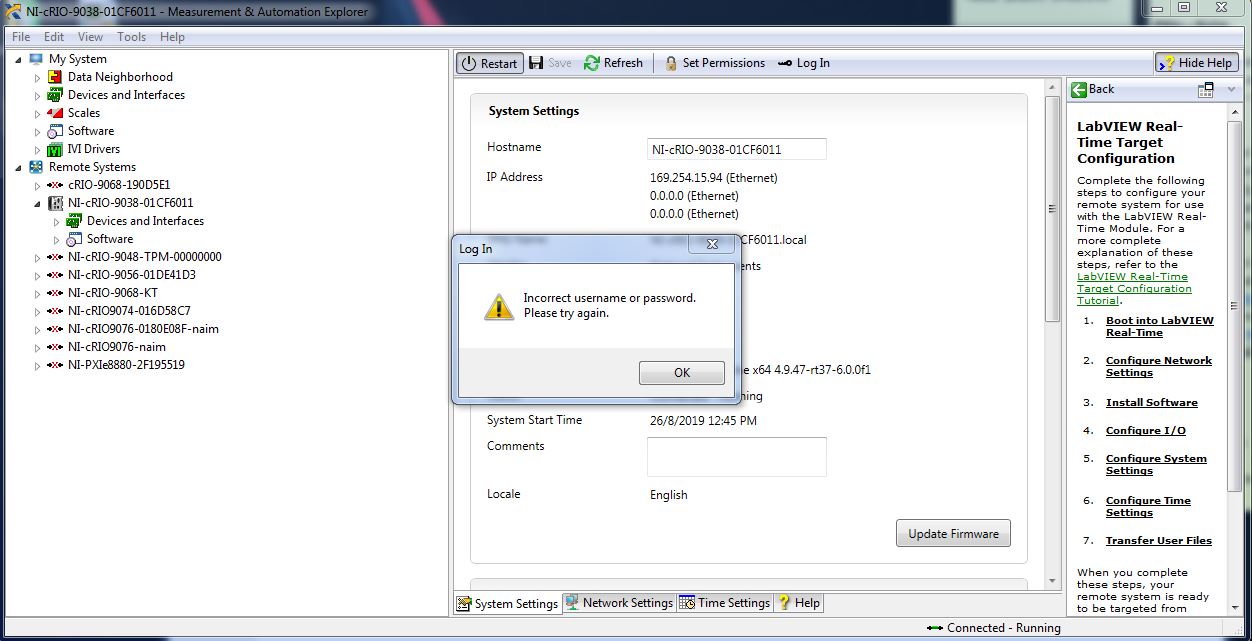
I have recently changed my cRIO controller password but unfortunately, my new password cannot be used. It always pops up the incorrect username or password error message when I try to log in with the new password to restart the cRIO controller. I cannot use the hardware restart because the cRIO controller is not physically present. How can I restart my cRIO controller in NI MAX?
Solution

One of the ways to restart the cRIO controller if you cannot log in with the password in NI MAX is, by using the NI Web-based Configuration and Monitoring tool. Follow the instructions below :
  1. Open NI MAX, and find the cRIO controller under Remote Systems. 
  2. Click the Set Permission button to open the NI Web-based Configuration and Monitoring tool.
  1. The NI Web-based Configuration and Monitoring tool will be opened in a browser, then click the Restart button to restart the cRIO controller.