Solution
There are two different ways to connect to a Ethernet Instrument: automatically and manually. In windows these settings are accessible through "
Change adaptor settings" in the "
Network and Sharing Centre"
- DHCP (Automatic) - When your instrument is connected to a network with a Router or Hub, Use this setting to have the IP address dynamically assigned automatically. This is most likely the default state of your instrument IP settings.
- Static IP Address (Manually) - When your instrument is either connected to a network with a switch or directly to your computer with a crossover cable. Refer to the producers own manual on how you can manually set the IP address.
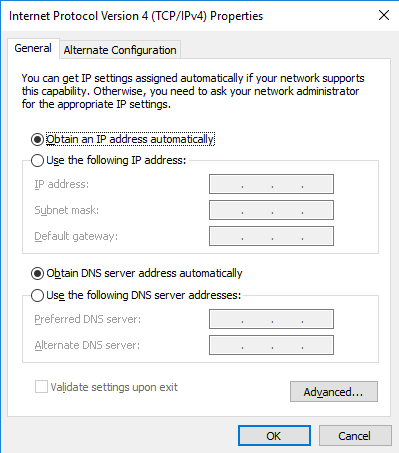
Configure Automatically (DHCP)
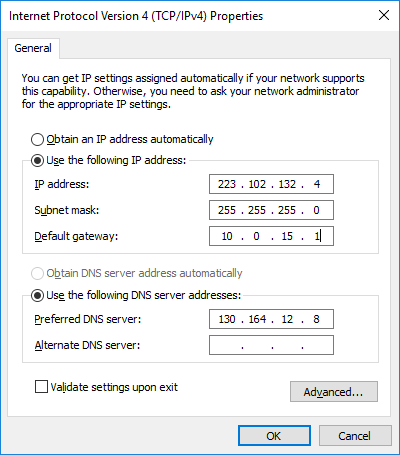
Manual configuration using static IP (
example address)